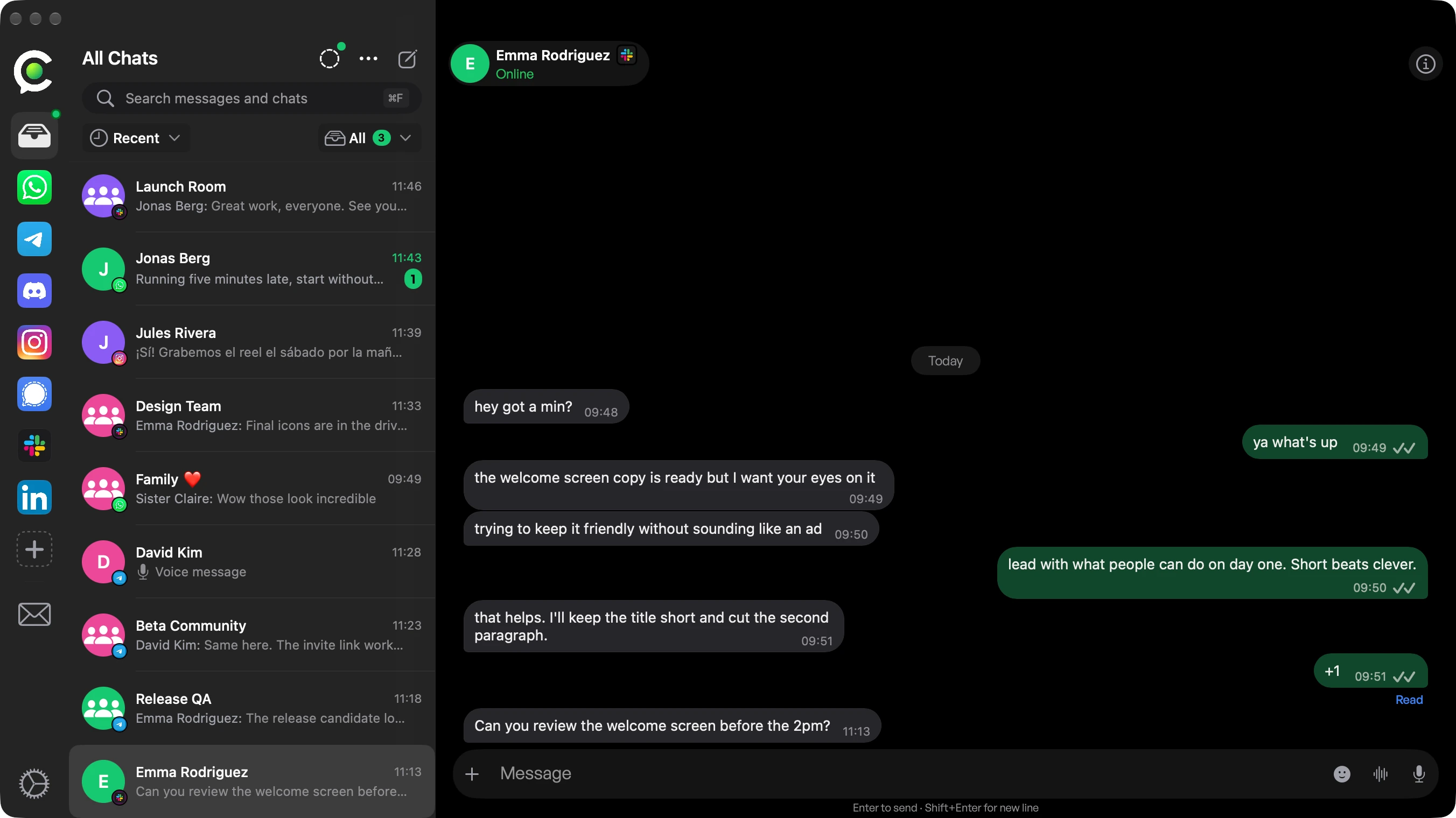
Chesly for Mac just got a lot faster and easier to read. Chats open in about half the time, typing keeps up with you, and message bubbles have more room. And if your Mac is too old for Chesly for Mac, a new app called Chesly Link can still bring its iMessage in.
Faster, everywhere
We went through the whole Mac app looking for anything that made you wait. Chesly now opens straight to your chats and comes back to the one you left. It starts reading a chat as your pointer reaches it, so it’s often ready before you click. Email works the same way.
Here’s the difference on a MacBook Air with 405 chats and about 40,000 messages:
- Opening a chat: 211 ms before, 110 ms now
- Each key you type: 58 ms before, 13 ms now
- Your chats on screen at launch: 621 ms before, 452 ms now
We measured test builds on a Mac that was busy with other work, so your numbers will differ.
Scrolling is smoother too: in our scroll test, hitches all but disappeared. And a big upload no longer holds up messages in your other chats.
Bubbles that are easier to read
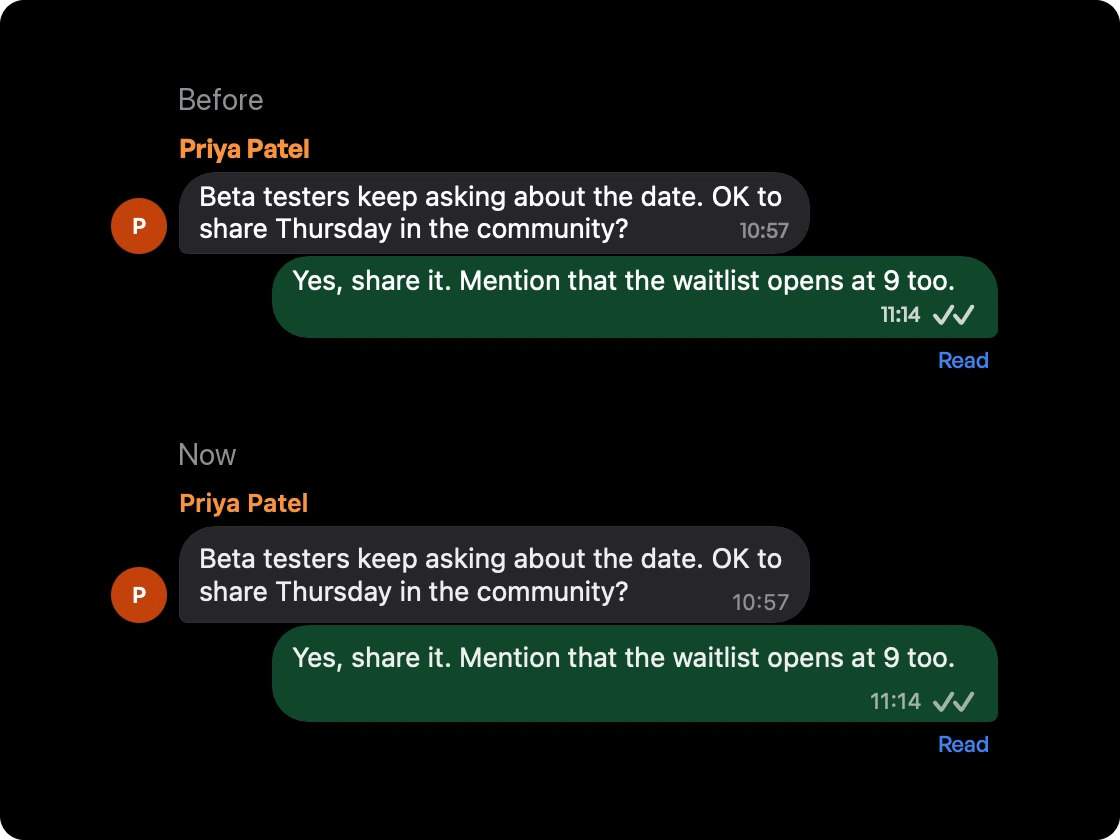
Long chats on the Mac could feel tiring to read, so we measured our bubbles pixel by pixel. The typeface and its weight were fine. Contrast and spacing weren’t.
In dark mode, bubble text is now a softer white, and the time and ticks on your own messages sit further back. Text bubbles have more room around the words, with lines a little further apart. Times, names, quotes and link cards now use SF, the same typeface as your messages, so a bubble reads as one piece. Turn on Increase Contrast in System Settings, and the text stays pure white.
Move faster with the keyboard
Search in the sidebar now finds people and any message. Use the arrow keys and Return to open what you find. New Chat takes the arrow keys and Return too.
- Option-Up and Option-Down walk your chat list.
- Command-3 to Command-9 jump to the networks in your sidebar.
- In Email, the arrow keys walk your inbox, and a new Message menu has the shortcuts you know from Mail.
Photos and files
Photos and videos now share one window. It opens on the picture you clicked, plays GIFs, and shows a poster while a video loads. Use the arrow keys to move through them, and copy or save from there.
Drop a file on a chat in your list, and it lands in that chat’s message box. The + in the message box now opens a small menu instead of a dialog.
iMessage from older Macs
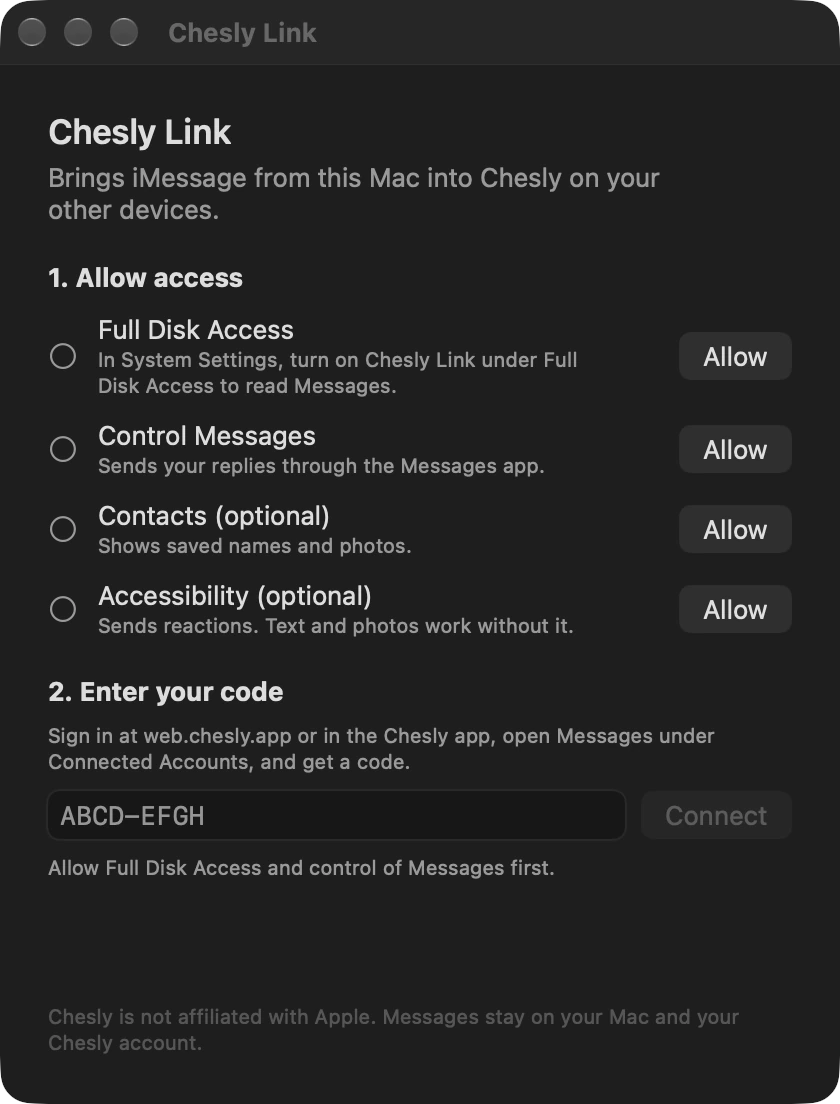
Chesly for Mac needs macOS 15 or later, but the Mac with your iMessages on it might be older. Chesly Link is a small menu bar app for those Macs. It does one job: it brings iMessage from that Mac into Chesly on your other devices. It’s built for macOS 12 and later, on Intel and Apple silicon.
You don’t sign in on that Mac at all. To connect it:
- Download the Chesly Link beta and open it.
- Allow Full Disk Access and control of Messages. Contacts and Accessibility are optional: they add saved names and photos, and reactions.
- Sign in at web.chesly.app, open Messages under Connected Accounts, and choose Get a code.
- Enter the code in Chesly Link. It works once and expires in 10 minutes.
Leave the Mac on and your chats keep coming. Turn on Keep this Mac awake in Chesly Link to stop it from sleeping. If it does sleep, your chats stay in Chesly, but you can’t send until it wakes.
It’s a beta, and we’re still trying it on real older Macs. Reactions go through the Messages app, which differs between macOS versions, so a reaction may not send. Text and photos don’t depend on that. If something’s off, tell us.
For now, the code comes from Chesly on the web. Chesly for iPhone and Android add it in their next update.
Also new
- Come back to an email, and you’re where you left off.
- The email composer underlines misspelled words and turns addresses into links, and Command-F finds text in your draft.
- Photo albums get the same Reply, Forward and More buttons as other messages.
- New messages and the reaction picker arrive in about a fifth of a second, with no bounce.
The Chesly for Mac changes are all in version 1.1.42. Chesly for Mac updates itself, or choose Check for Updates from the Chesly menu. New to it? Download Chesly for Mac.
The Chesly team