Find any conversation
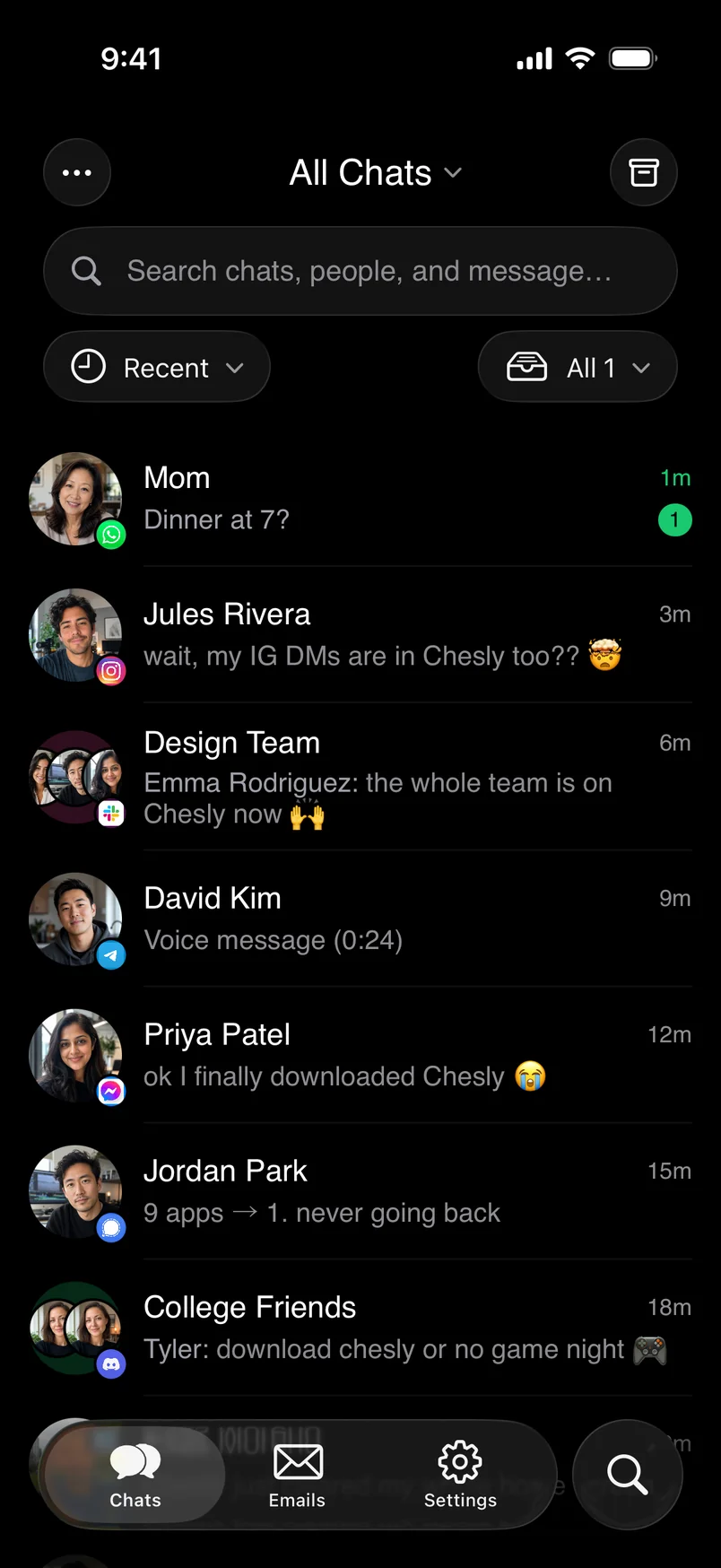
Search across connected chats and email accounts from one place. A person, a phrase or a half-remembered detail is enough to get back to the conversation you need.
Chesly brings chat and email together. Search, read and reply across WhatsApp, Slack, Gmail and more without living in a dozen apps.
Available on iPhone, iPad, Mac, Android and Even Realities G2.
 WhatsApp
 Telegram
 Instagram
 Messenger
 Signal
 Discord
 Slack
Slack Gmail
Gmail Outlook
 LinkedIn
 X
X Reddit
 Google Chat
Plus iCloud and any other IMAP email account.
A unified inbox is a single place to manage messages from multiple services. It removes the repetitive loop of opening WhatsApp, checking Slack, scanning email, moving to Discord and then trying to remember where a conversation happened.
Chesly is designed around personal communication. It is not a shared customer-support queue, and it does not turn friends, family and colleagues into tickets. You keep the familiar identity of each service while gaining one searchable view across them.
That matters because communication overload is rarely caused by one inbox. It comes from the combined weight of every inbox, badge and notification. Chesly gives that fragmented stream one calmer home.
Search across connected chats and email accounts from one place. A person, a phrase or a half-remembered detail is enough to get back to the conversation you need.
Keep chat threads and email side by side, then answer from Chesly instead of reopening a different app for every notification.
Chesly learns which conversations need you. Urgent ones rise to the top and can interrupt you, while everything else waits quietly in the inbox.
Translate messages into your language and turn voice notes into text with Chesly Plus, so you can follow a thread before you respond.
Connect the services you choose. Each conversation keeps its source and identity, so Chesly brings the view together without making every account the same.
Use the same calm inbox on iPhone, iPad, Mac, Android and G2. On the glasses, the essentials sit on the lens instead of in your pocket.
Get Chesly from the App Store or Google Play, or download it for Mac.
Choose the chat apps and email inboxes you want to bring together.
Search, read and reply across conversations without rebuilding your habits.
A unified inbox brings conversations from different messaging apps and email accounts into one place. Instead of checking every service separately, you can read, search and reply from a single inbox.
Chesly supports WhatsApp, Telegram, Signal, Instagram, Messenger, Discord, Slack, X, LinkedIn, Reddit, Google Messages and Google Chat, plus Gmail, Outlook and other IMAP email accounts.
Yes. Chesly is built for two-way messaging, so you can read and reply without reopening the original app for every conversation.
No. Chesly places email and real-time chat conversations side by side. It is designed as one personal inbox for both kinds of communication.
Chesly uses AI to rank what is likely to need your attention. Important messages can interrupt you while lower-priority conversations remain available in the inbox without creating more noise.
Chesly is available for iPhone, iPad and Mac through the App Store, for Android through Google Play, and on Even Realities G2 smart glasses through Even Hub. Install it from Even Hub, then pair from your phone.
Stop checking every app separately. Start with one inbox.