
Open any conversation
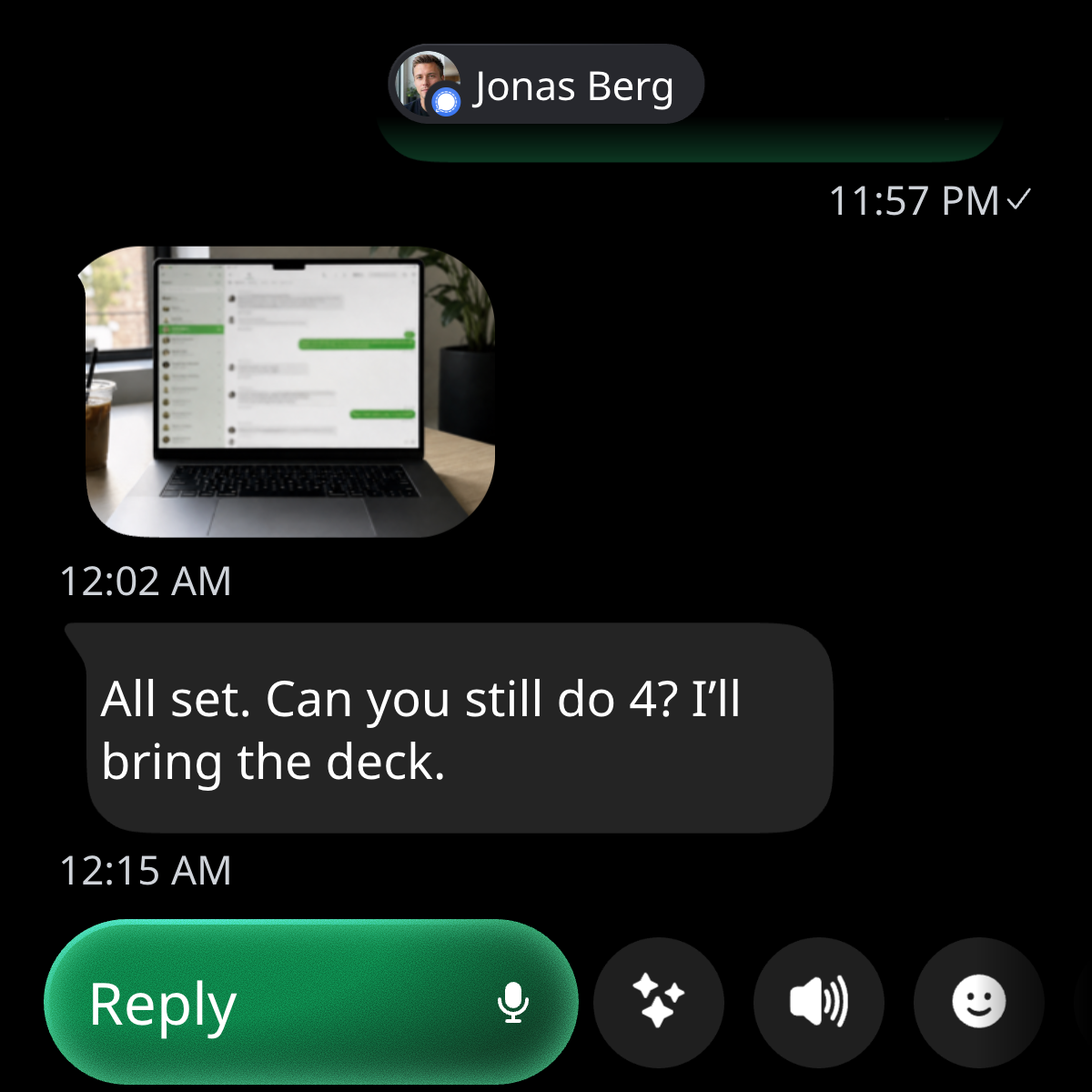
Pinch a chat and the newest message is waiting, photos and all. Have any message read aloud when you can’t look.
Telegram, Signal, Slack, Discord, LinkedIn, X and email in the corner of your eye. Reply to any of them with Chesly Plus.
Reading is free. Chesly is an independent app, not affiliated with Meta.
With Developer Mode on, your glasses ask to add Chesly. Accept, and it’s there.
Pinch a chat and the newest message is waiting, photos and all. Have any message read aloud when you can’t look.
Say it, write it, or pick a suggested reply. Your words land in the reply box first, and nothing sends until you pinch Send.
Replying is part of Chesly Plus.
Read a voice message instead of playing it out loud, wherever you are.
Reading a voice message as text is part of Chesly Plus.
Gmail, Outlook and iCloud next to your chats. Read, reply, archive or delete.
Connect your glasses to the Meta AI app. In the Meta AI app, open Settings, then App Info, then tap the app version five times. Turn on Developer Mode and tap Enable.
Look at the QR code above with your glasses and accept the prompt. Or add it yourself: in the Meta AI app, tap App Settings, then Apps, then Web Apps, then Connect Web App, enter https://glasses.chesly.app/, and tap Save.
Install the Chesly app and connect your accounts. The glasses show what you connect there.
Open Chesly on your glasses to see a six-digit code, then enter it at web.chesly.app/glasses on your phone or computer.
Wearers add web apps this way for now. Meta decides which apps it lists, and Chesly isn’t listed yet.
The ones you connected in Chesly, including Telegram, Signal, Slack, Discord, LinkedIn, X and email.
Yes, with Chesly Plus. Reading is free. Your words appear in the reply box first, and nothing sends until you pinch Send.
Yes. That’s where you connect your accounts. You link the glasses at web.chesly.app/glasses.
Yes. Open Chesly on your glasses and pinch Try a demo. It runs on sample chats and needs no account.
Update the Meta AI app first. Meta also limits web apps by country and account, so they may not be open to you yet, even with Developer Mode on.
Then look at the QR code above with your glasses.